Pay your suppliers through the bank without leaving Odoo
From invoice to bank return file: multi-level approval, SISPAG (CNAB 240) remittance and automatic reconciliation, all inside your Odoo.
Talk to Edoo See how it works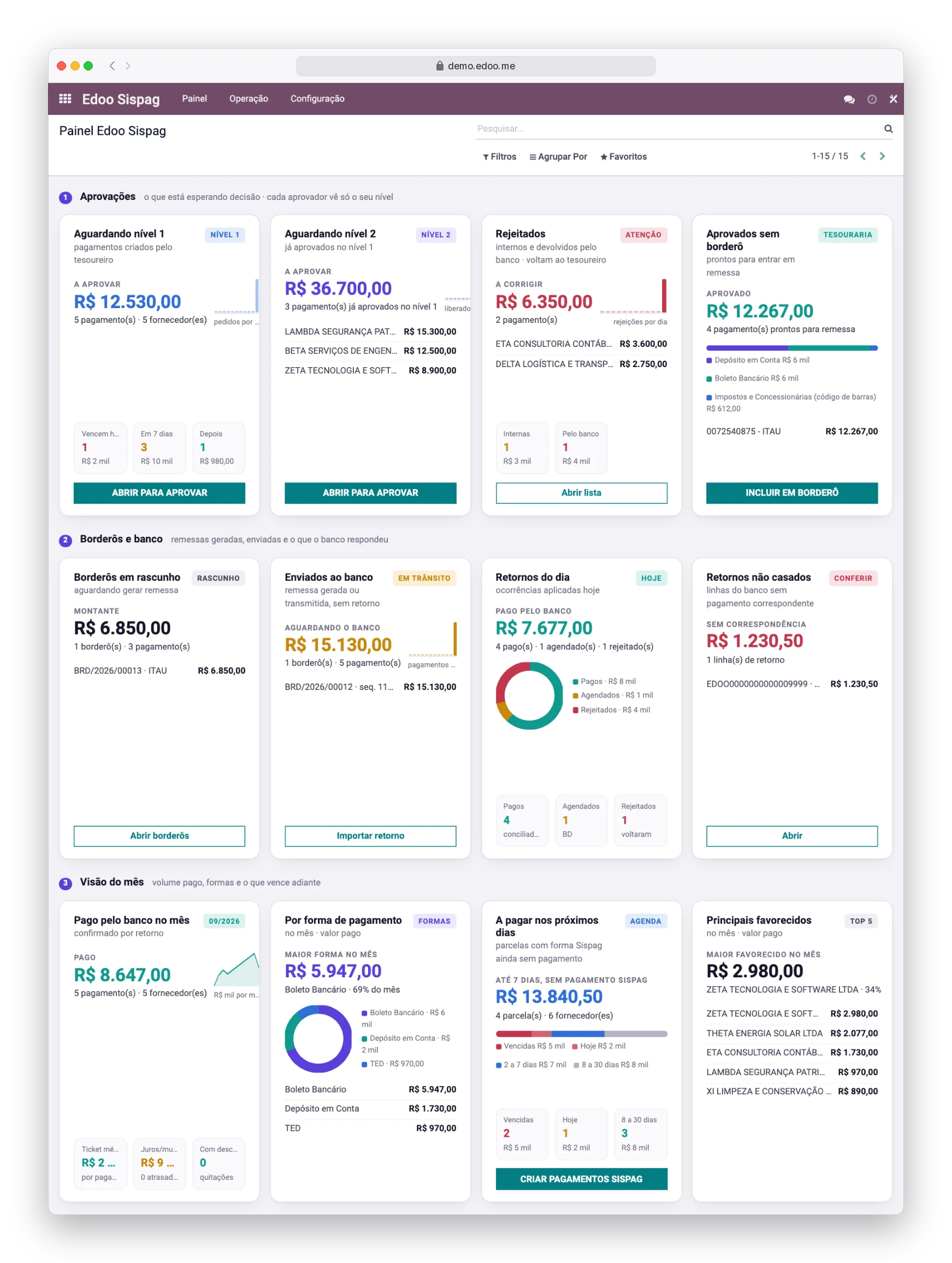
Three jobs your treasury team stops doing
Less typing, fewer mistakes
Invoice installments become payments with bank details pulled straight from the supplier record. Nobody retypes account numbers or Pix keys into online banking.
Approval before the money leaves
No payment reaches the bank without level 1 approval and, above an amount you define, level 2. Whoever rejects gives a reason, and the requester is notified.
Reconciliation with no manual work
The bank return file updates every payment, confirms the ones that were paid and reconciles them against the invoice, handling interest and discounts. The books close on their own.
Five steps, one single flow
Invoice with a payment method
The supplier invoice already carries its Sispag method and, for boleto, the payment slip line per installment.
Treasury creates the payments
A wizard picks the bank journal and the date and generates one payment per installment.
Managers approve
Level 1 always, level 2 above the configured amount. Rejections are recorded with a reason.
The batch goes to the bank
Approved payments are grouped into a batch that generates the remittance file, by download or API submission.
The return file closes the loop
Each payment is marked Paid, Scheduled or Rejected by the bank, and Odoo reconciles.
Four screens that tell the story
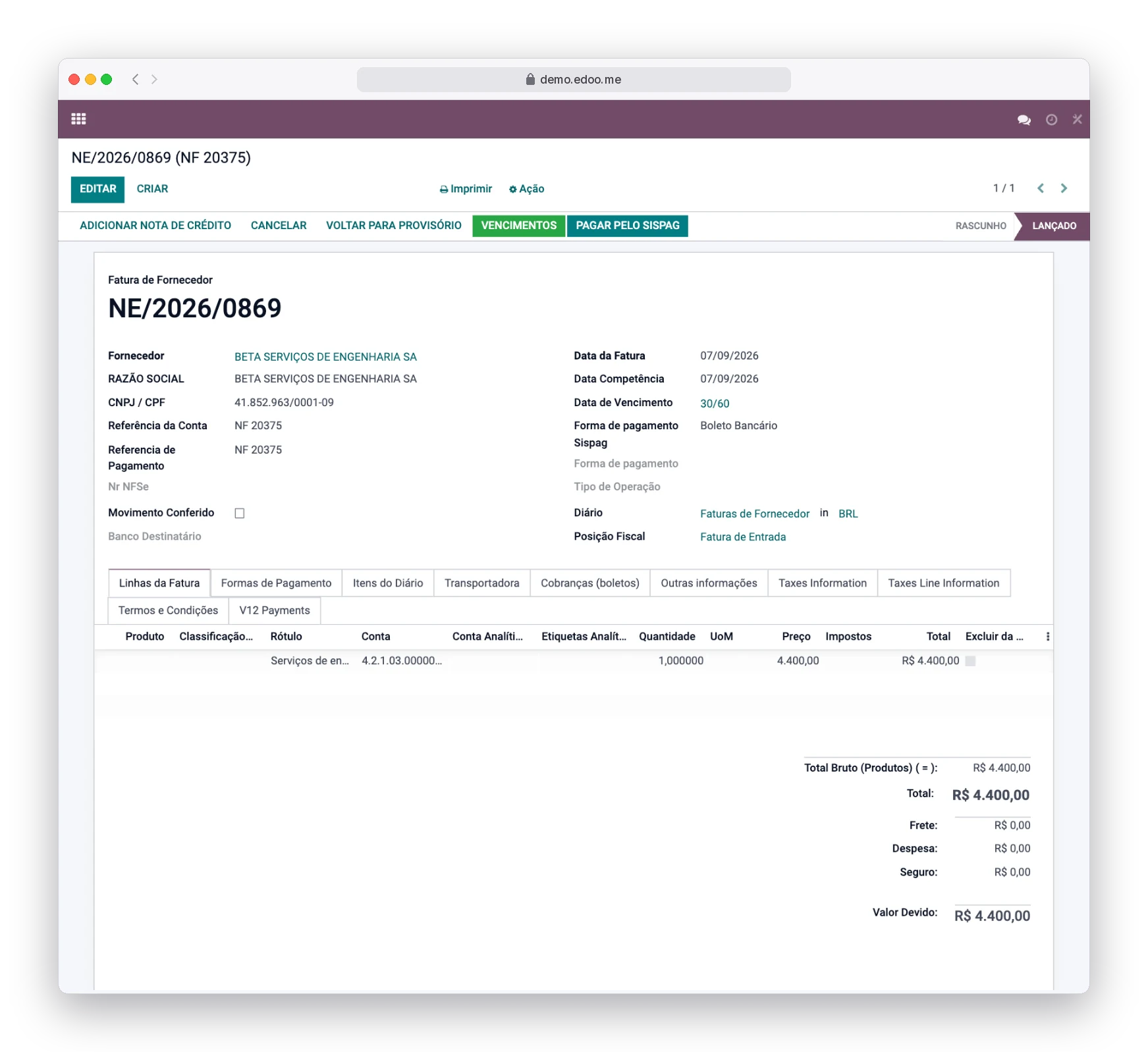
Supplier invoice
On the supplier invoice, the payment method comes pre-filled from the supplier record and can be adjusted before payments are generated.
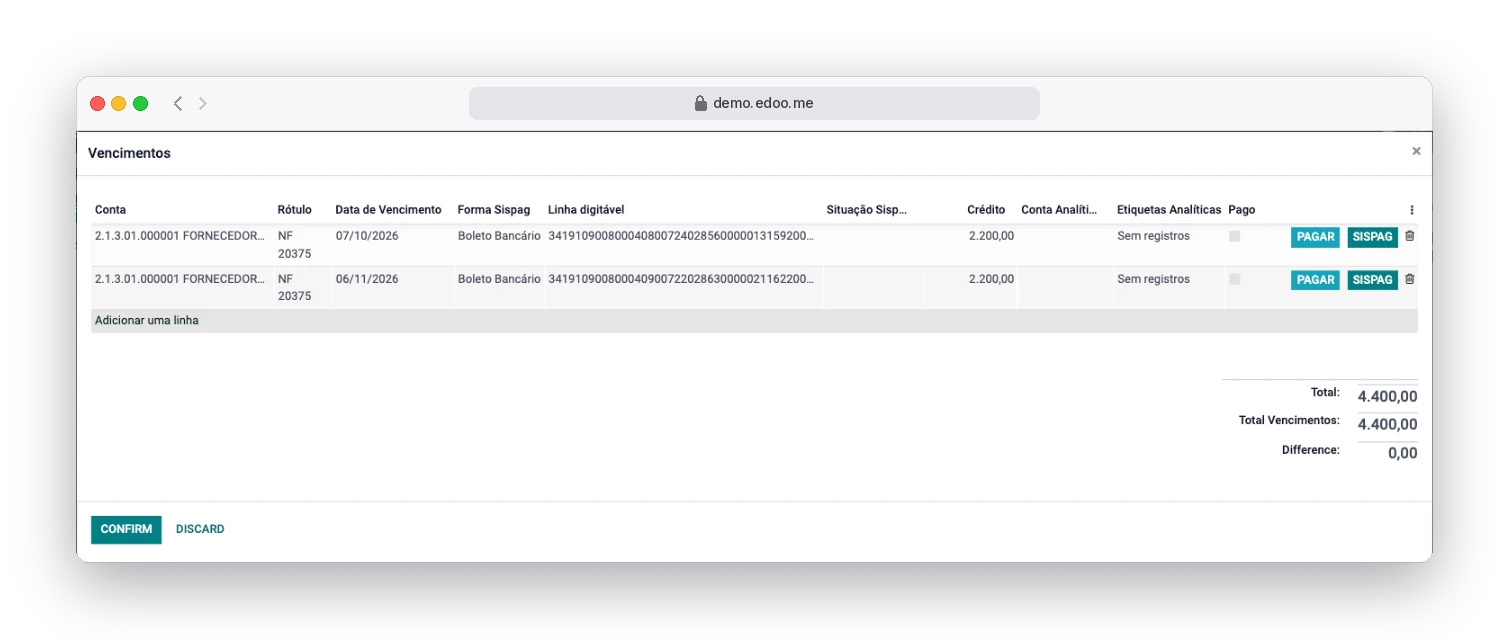
Due dates
In the due dates dialog, each installment has its own method and, for boleto, its own payment slip line.
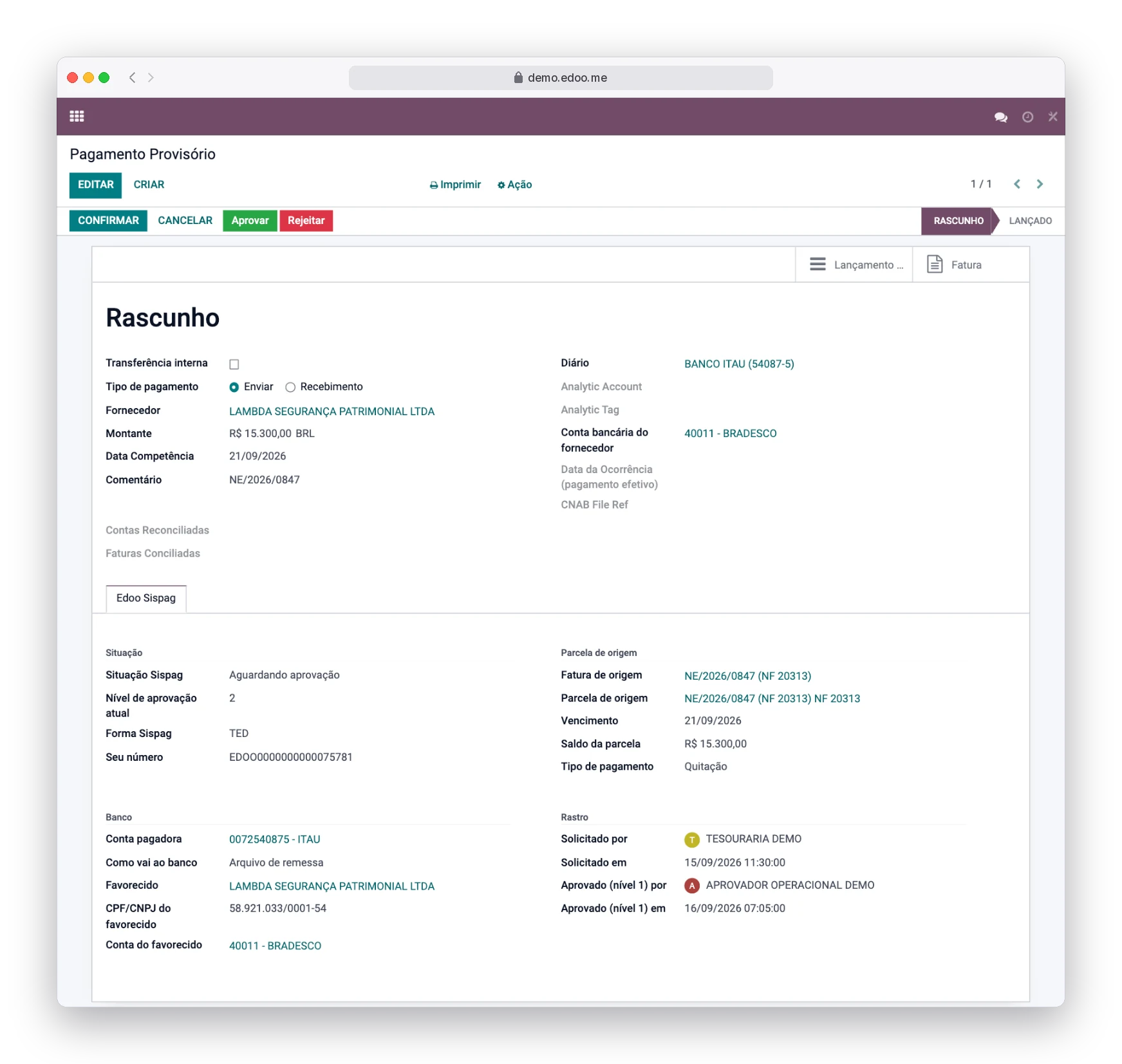
Payment
The payment shows its state, bank details and the approve or reject buttons. In the chatter, every decision is recorded with author, date and reason.
Real system screens with fictional demo data.
Every decision with a name, a date and a reason
Every payment records who approved or rejected it, when and why, in the chatter of both the payment and the invoice. The remittance file name, sequence, layout and the bank's response code are stored as well.
The Invoicing, Treasury, Level 1 Approver, Level 2 Approver and Manager roles define who sees and who performs each step.
Approved, sent or paid payments cannot be edited, cancelled or deleted.
Nothing is confirmed in Odoo before approval and the bank return.
Every method, one single batch
- Account deposit (wire transfer or account credit)
- Pix, with the key validated by type
- Boleto, by payment slip line
- Taxes and utilities, by barcode
- Manual payment, for anything outside the bank
Each method is linked to a bank journal, which supplies the payer details.
Companies that pay many suppliers and have more than one person approving
For companies that run their finances on Odoo and pay dozens or hundreds of suppliers a month. If your treasury team currently types payments into the bank, tracks approvals by email or spreadsheet and clears invoices by hand, Edoo Sispag replaces those three jobs.
Does it work with any bank?
The module generates files in the SISPAG (CNAB 240) standard. Talk to our sales team to confirm compatibility with your bank and account.
Do I need to change how I enter invoices?
No. The payment method comes from the supplier record. The invoicing clerk only adds the payment slip line when there is a boleto.
What if the bank rejects a payment?
It stays as Rejected by the bank, with the response code, and nothing is posted. Just fix the details and create a new payment.
How do I get it?
Edoo Sispag is enabled on request, as a pilot with a small number of customers. Contracting is handled by our sales team.
Want to see Edoo Sispag running with your own data?
Write to contato@edoo.me or fill in the contact form. Our sales team will reply with the next steps.
Fill in the form Send an e-mail