

More than 255 thousand books ready for your Odoo
Titles from across the Brazilian book market, with synopsis, authors, publisher, pages, weight, tax code, list price and cover reviewed by the publishers themselves, synced with Odoo through BookInfo. You choose which titles you want to receive and your records fill themselves in.
- More than 255 thousand titles
- You filter what you receive
- Accredited BookInfo integrator
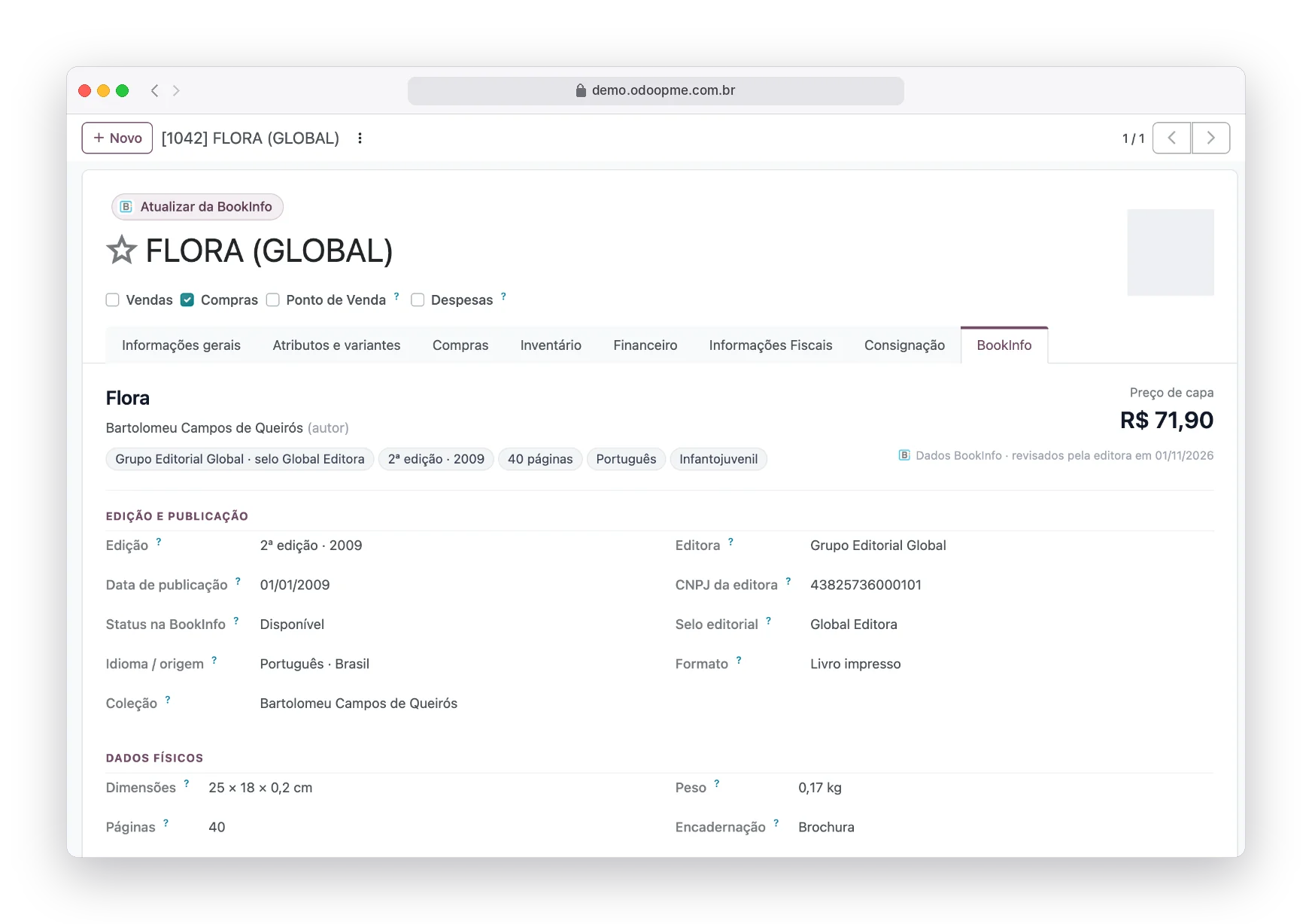
Real system screens with fictitious demo data.
Edoo is an accredited BookInfo integrator
BookInfo data is released only to companies registered and authorized by it. To use the integration, register your company on the BookInfo website and request the data release for the Edoo system. We do the rest together with you.
Books from publishers all over Brazil, with standardized metadata (ONIX, Thema and BISAC) reviewed by those who publish them. Edoo syncs this catalog with your Odoo, and every publisher revision is reflected in your records.
You choose what comes in
Build your selection and receive only the titles that make sense for your store.
Registering books by hand is endless work
Each new title needs a dozen pieces of information that are almost always typed from the supplier invoice or the publisher website.
Abbreviated name
The title comes from the invoice, in capitals and cut short. On the website and at the POS, the book becomes unrecognizable.
No synopsis and no cover
Exactly what the seller and the customer need to decide the purchase.
Outdated list price
The publisher adjusts and the store keeps selling at the old price.
Out of print without notice
Nobody knows the book went out of catalog until the supplier order comes back empty.
From ISBN to complete record
Once your company is approved at BookInfo, Edoo takes care of the connection. You just choose the titles and watch your records fill in.
The book with everything the publisher provides
Every product with an ISBN gets the BookInfo tab: summary, edition, status at the publisher, physical data, classification and the publisher’s texts. A button updates it right away.
- Your name and price are respected
- Tag for books unavailable at the publisher
- Publisher revisions arrive on their own
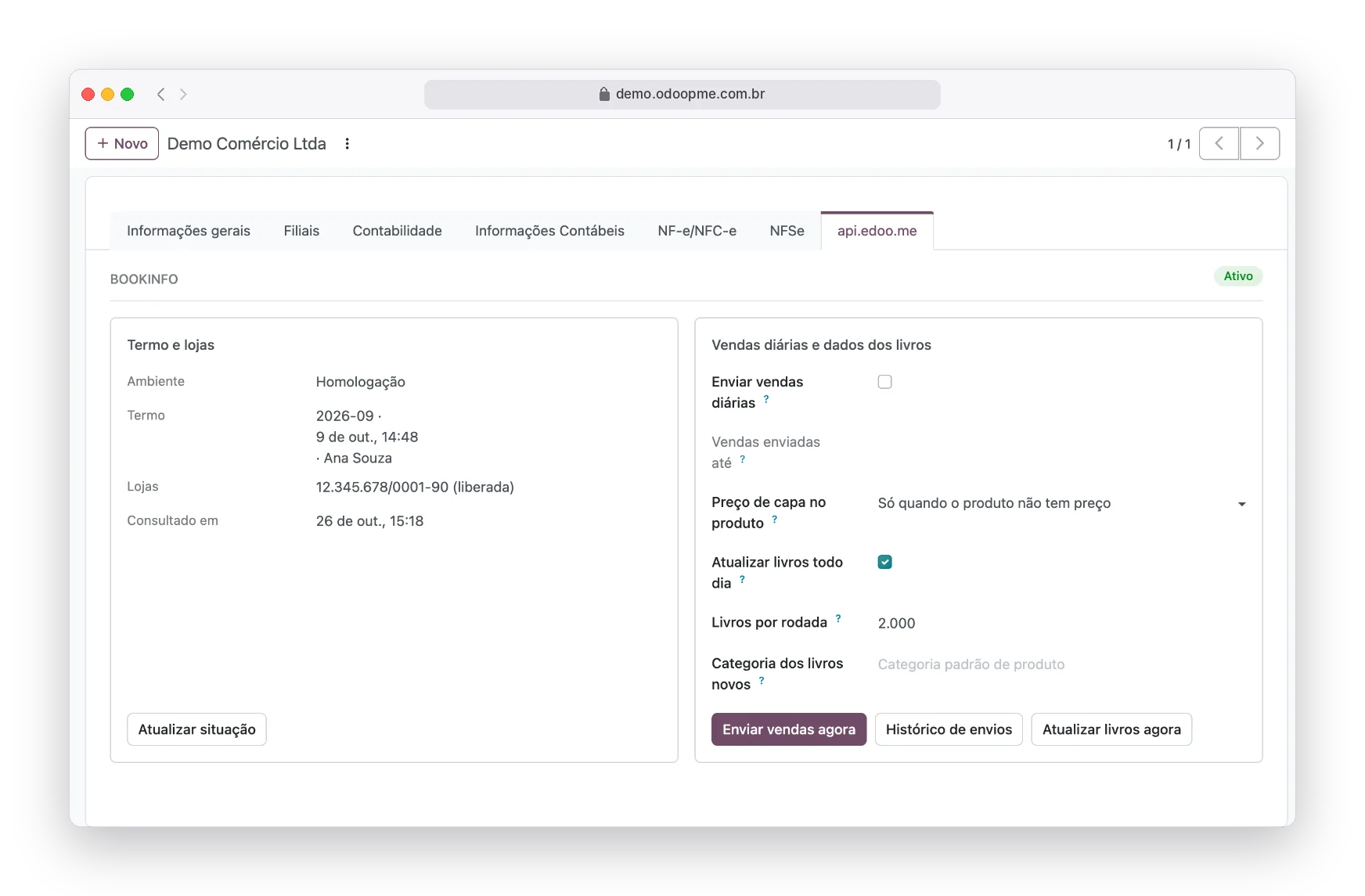
Accept the terms and activate your store
The BookInfo terms are accepted inside Odoo, recording who accepted and when. Once the store is released, you choose the list price rule and turn on book updates.
- List price: only when empty, always or never
- Optional sales reporting, per store
- History of every submission
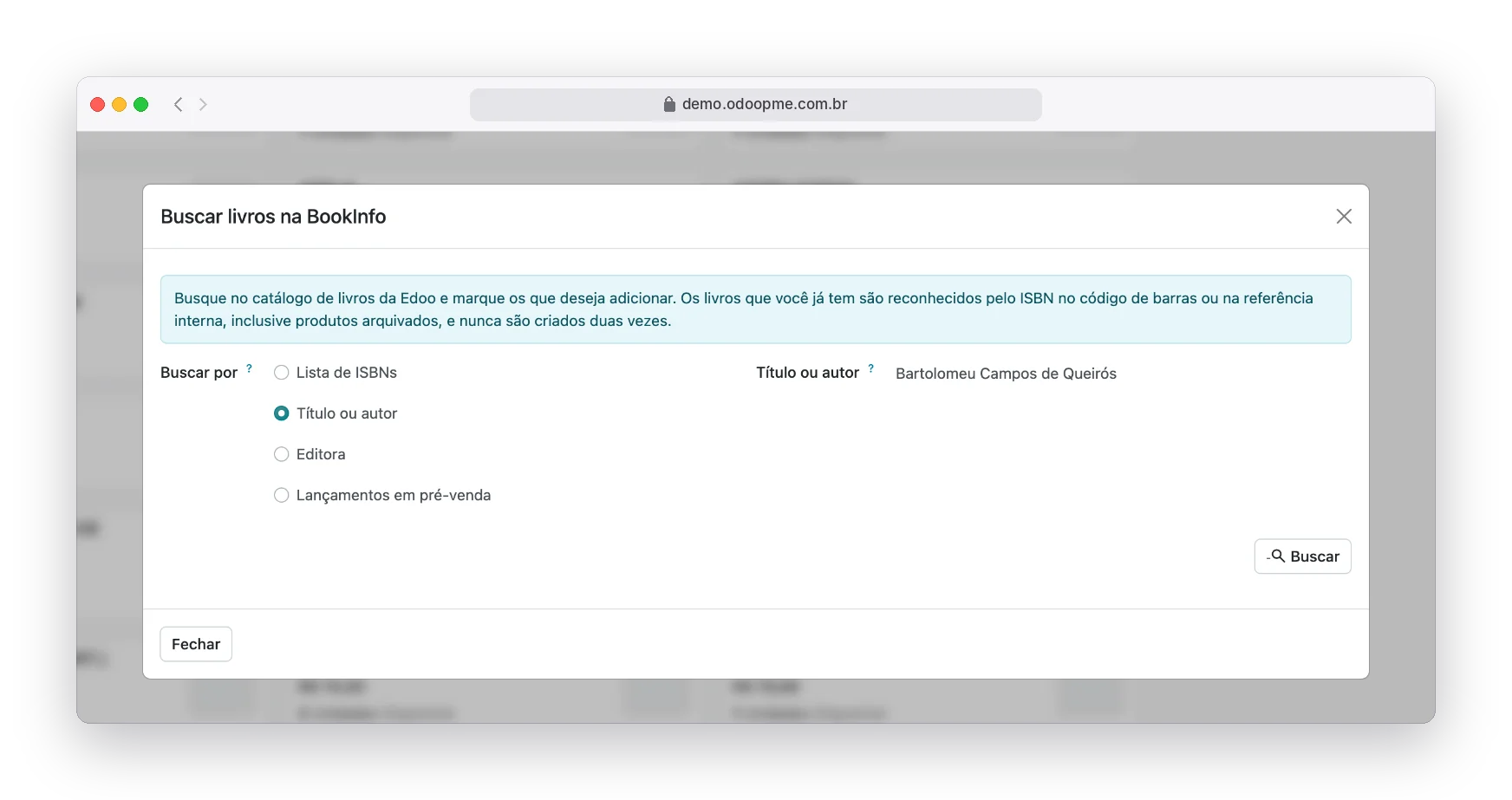
Bring from the catalog only what matters
Search by a list of ISBNs, by title or author, by publisher or by pre-sale releases, or build your own catalog selection with filters and receive what is new every night. Books you already have are recognized and never created twice.
- ISBN list from the supplier invoice
- Pre-sale releases
- Archived products are also recognized
A catalog that takes care of itself
Rich records
Synopsis, authors, pages, weight and tax code without typing.
Cover on the product
The cover comes in when the product has no photo, and your photo is never replaced.
Living catalog
Out of print, out of catalog or withdrawn show up in a filter.
Scan it, register it
With the scanning app, a new ISBN becomes a product right away.
No duplicates
The ISBN in the barcode or reference is the key to everything.
A better informed market
If you want, daily book sales go to BookInfo market reports.
The same operation, a different day to day
Without the integration
- Abbreviated name
- No synopsis and no cover
- Outdated list price
- Out of print without notice
With the Edoo integration
- Rich records
- Cover on the product
- Living catalog
- Scan it, register it
Clear up your questions
Complete step by step, with the screens
The official documentation shows every setting, field and status of the integration, for your team to check whenever they want.
Open the official documentationDo I need to be registered at BookInfo?
Yes. BookInfo releases data only to registered and authorized companies. Register your company on their website and request the release for Edoo, an accredited integrator.
Am I required to report my sales?
Daily sales reporting is an option you turn on or off. Talk to Edoo about your license conditions.
Will BookInfo change my product names?
Only if the rule says so. The default fills what is empty and keeps what you already registered.
Can I use the data on my website?
The data serves your records and your sales. Reselling or passing the metadata to third parties is prohibited by the BookInfo terms.
Connect as well


Shall we complete your book catalog?
Tell us how your operation works today. An Edoo specialist shows the integration running and what changes in your routine.
Shopify, Amazon, Amazon Vendor Central, WinBooks, WBS Tecnologia and BookInfo are trademarks of their respective owners, used here only to identify the integrations.