

Your Shopify store and Odoo speaking the same language
Every store order becomes a sales order in Odoo, with the customer, tax ID, shipping and coupon exactly as charged. The catalog fills itself in and nothing is registered twice.
- Orders with shipping and coupon
- Tax ID from the checkout
- Read-only on the store
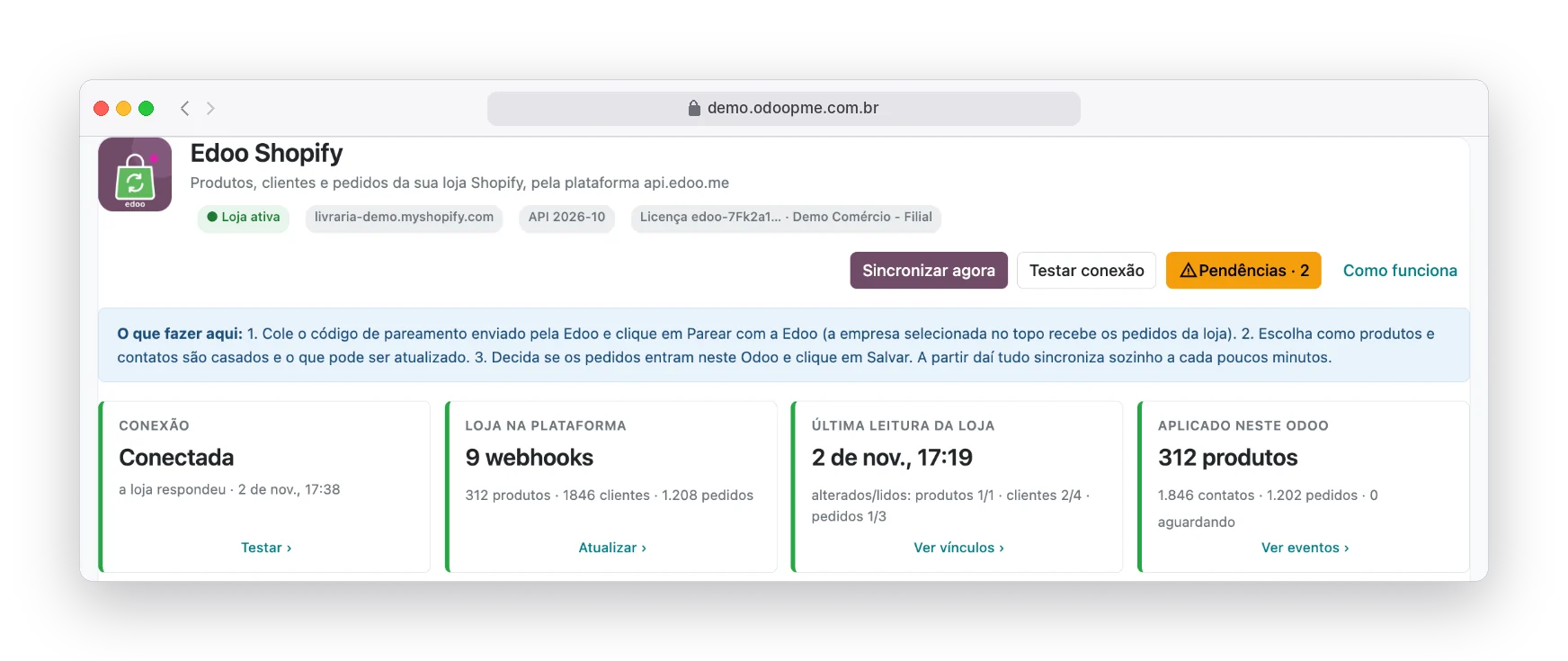
Real system screens with fictitious demo data.
The order comes into the store and the typing begins
As the store grows, copying Shopify orders into the management system becomes a whole department, and every mistake becomes a wrong invoice.
Customer typed twice
The buyer already exists in the system, but with another name or e-mail. The record is duplicated and the history is lost.
Tax ID that disappears
Shopify keeps the document on the order, not on the customer. At invoicing time, someone has to go and find it.
Product searched by name
Similar title, different variant, outdated SKU: the wrong item goes into the order.
Total that does not match
Coupon, free shipping and discount redone by hand. The system amount differs from what the customer paid.
From the store to the sales order, with no retyping
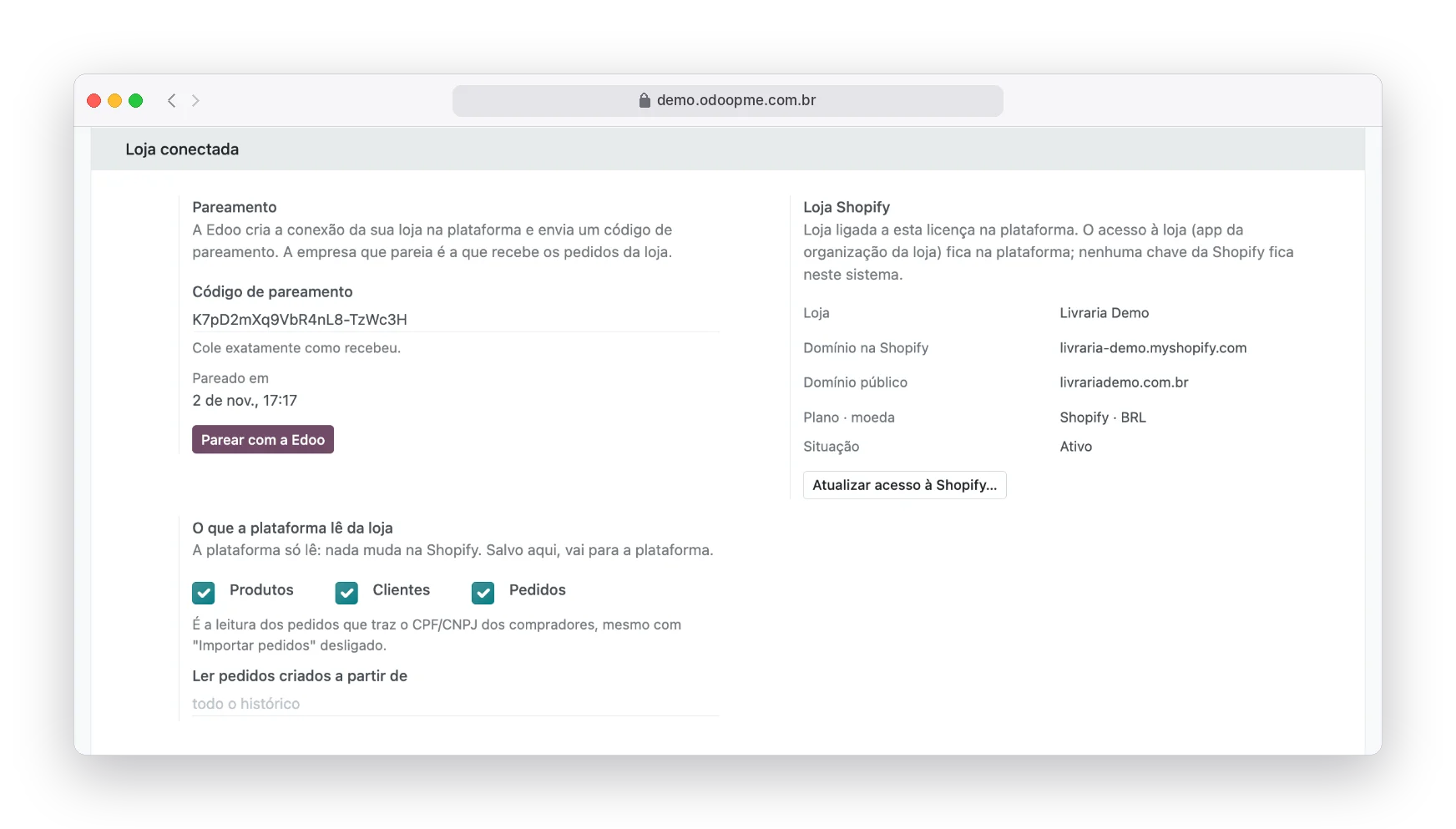
The store is connected once, through an app in the Shopify organization itself, with read-only permission.
Pair the store in a minute
Edoo sends a pairing code. You paste it in Settings › Edoo Shopify, choose what the platform reads (products, customers, orders) and that is it.
- No Shopify key in Odoo
- The company that pairs receives the orders
- Step-by-step connection test
Catalog matched by barcode
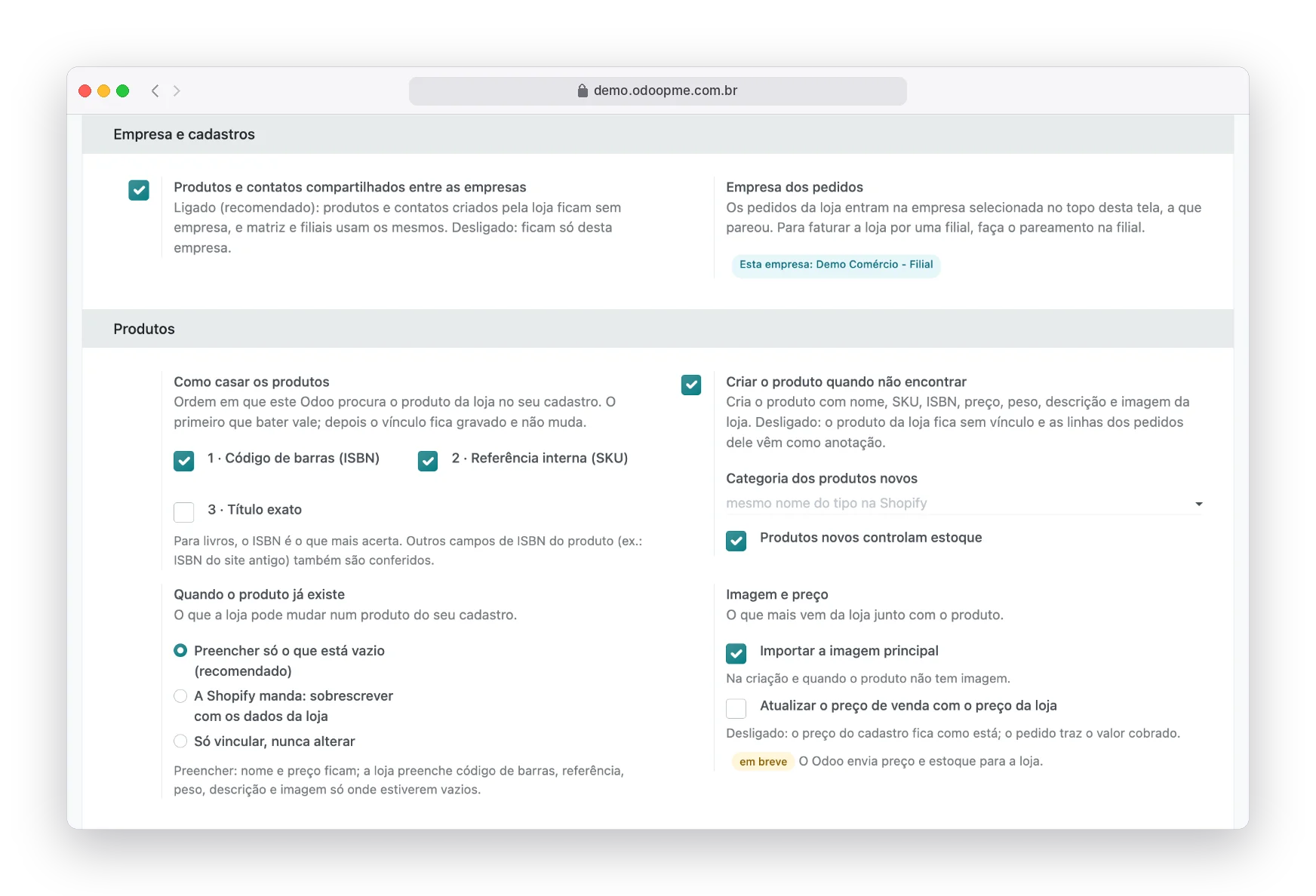
The store product is found by barcode (ISBN or EAN) and then by internal reference. What does not exist can be created with name, price, weight, description and image.
- "Fill only what is empty" protects your records
- Records shared between head office and branches
- Every link is stored and never changes
Orders when you decide
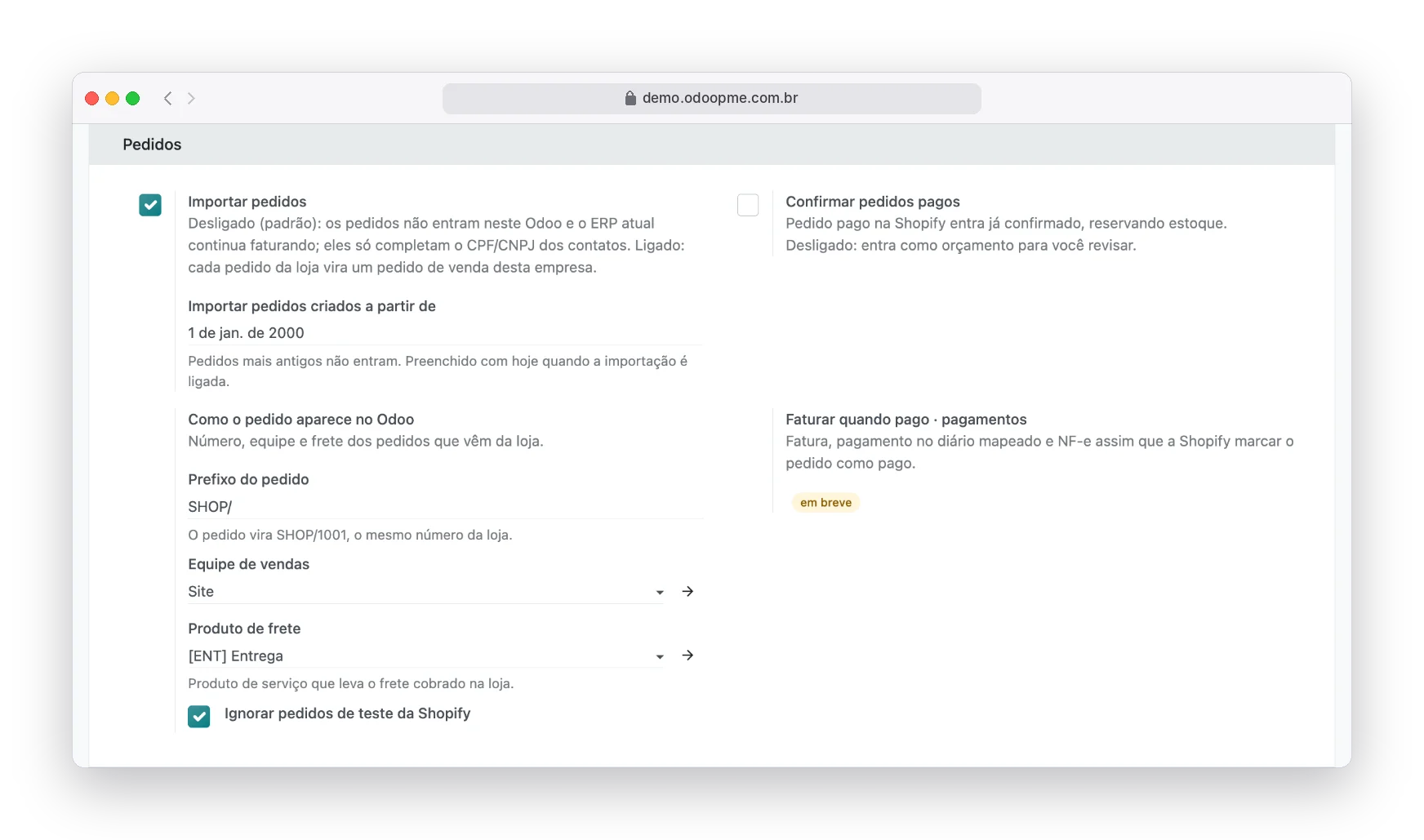
Order import starts switched off, to live alongside your current system. Switched on, each order becomes a quotation or confirmed order, with prefix, team and shipping product chosen by you.
- Order #1041 becomes SHOP/1041
- Store test orders ignored
- Store location linked to the warehouse
Total equal to the store, cent by cent
The order coupon becomes a discount on the lines and shipping comes in as charged. The order’s Shopify tab shows the store number, payment, shipping and payment method.
- Store cancellation reaches Odoo
- "From Shopify" filter in sales
- Issues become activities
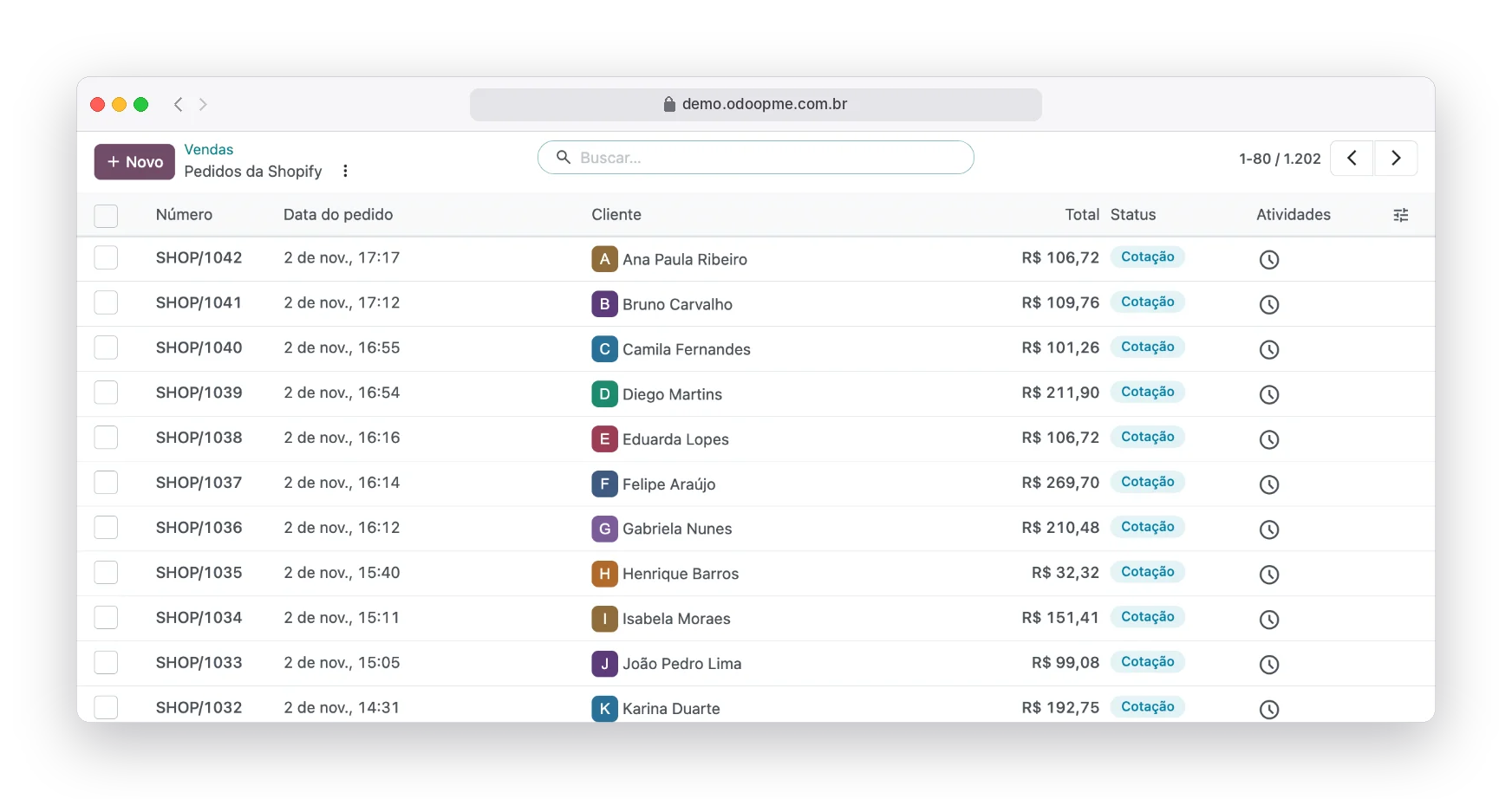
Store and system speaking the same language
No more typing
Orders, customers and products come in on their own, every few minutes.
Invoice with the right document
The checkout tax ID completes the contact that has no document yet.
A single register
Links by barcode and e-mail avoid duplicate products and customers.
Store untouched
The platform only reads. Nothing changes on Shopify unless you decide.
Links in plain sight
The link list shows how each record was found.
Ready to grow
Stock, tracking and automatic invoicing arrive in upcoming versions.
The same operation, a different day to day
Without the integration
- Customer typed twice
- Tax ID that disappears
- Product searched by name
- Total that does not match
With the Edoo integration
- No more typing
- Invoice with the right document
- A single register
- Store untouched
Clear up your questions
Complete step by step, with the screens
The official documentation shows every setting, field and status of the integration, for your team to check whenever they want.
Open the official documentationDo I need to give Edoo my store password?
No. The connection is made by an app created in your store’s organization, with read-only permission, which you can revoke in the Shopify admin.
Does the integration change anything on Shopify?
Not in this version: the platform only reads products, customers, orders and locations.
Can I keep invoicing in my current system for a while?
Yes. With order import off, the store only feeds the records and the customers’ tax IDs. You switch orders on whenever you want.
I have a head office and a branch. Which company receives the orders?
The company that did the pairing. Products and contacts can be shared among all of them.
Connect as well



Ready to stop copying Shopify orders?
Tell us how your operation works today. An Edoo specialist shows the integration running and what changes in your routine.
Shopify, Amazon, Amazon Vendor Central, WinBooks, WBS Tecnologia and BookInfo are trademarks of their respective owners, used here only to identify the integrations.