

From the sales order to the warehouse, without a call to logistics
The order confirmed in Odoo goes to the WinBooks logistics operator with one click, or on its own. The status comes back with a color at each stage, the invoice is issued when logistics asks for billing and the XML and PDF go to the warehouse without anyone attaching anything.
- Stock reserved right away
- A color for each stage
- Automatic invoice and files
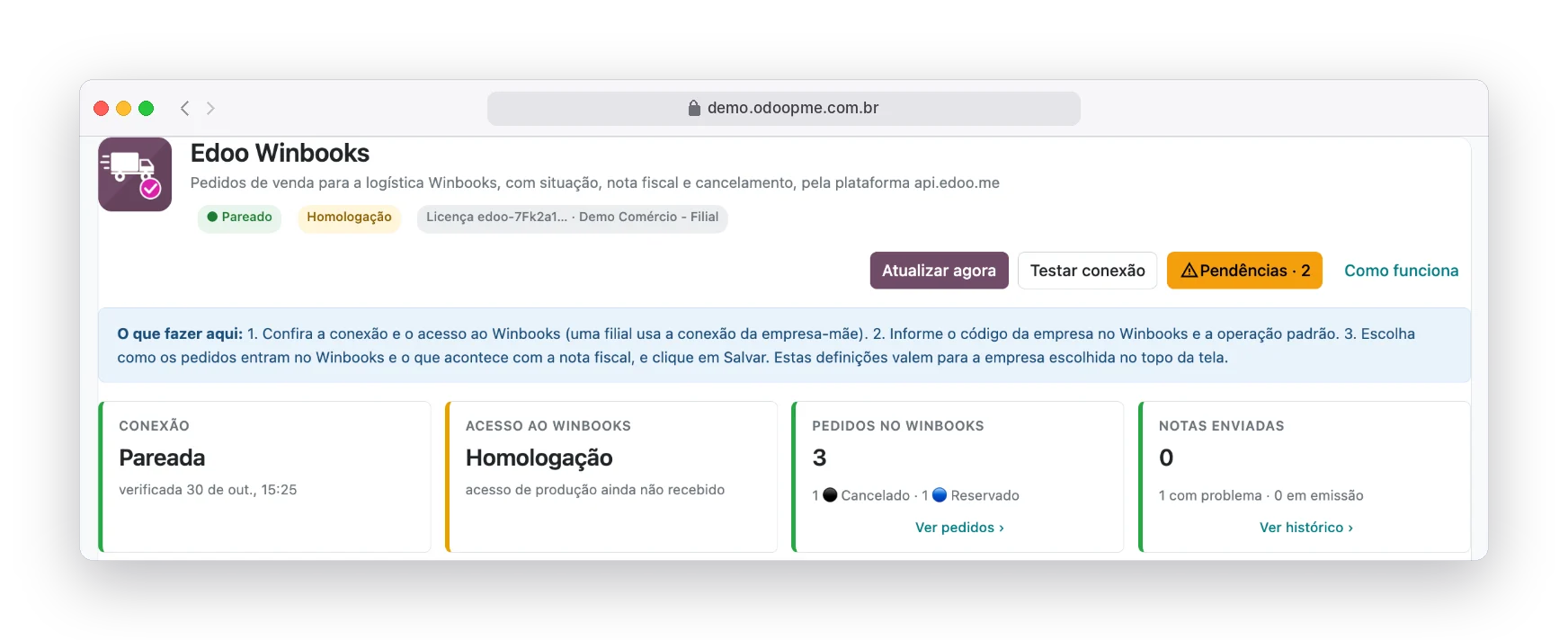
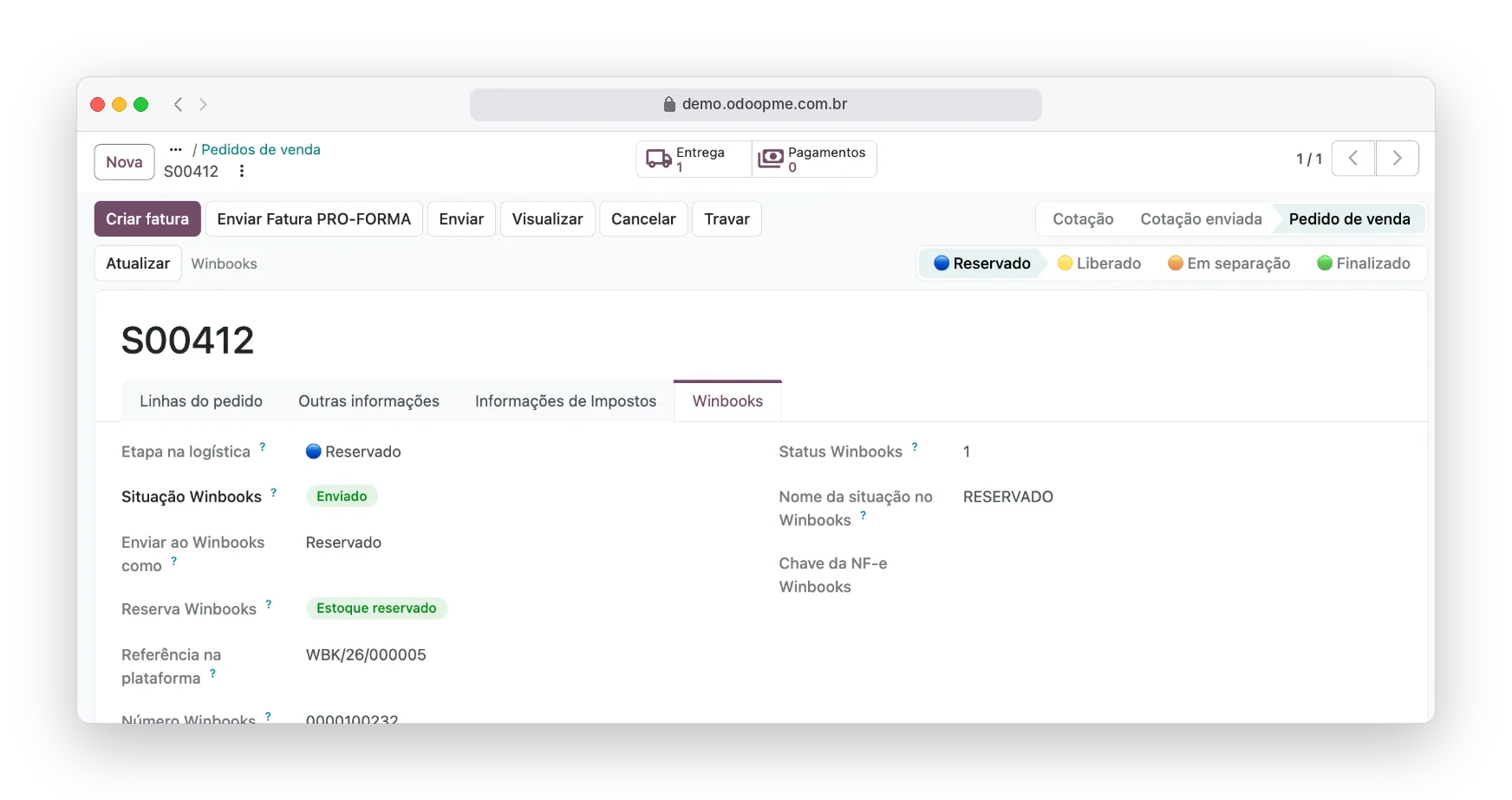
Real system screens with fictitious demo data.
The order exists in two places and nobody knows which is right
With stock at a logistics operator, every sale becomes an exchange of messages between sales, tax and the warehouse.
Order retyped at logistics
The sale closed in the ERP is typed again in the warehouse system, item by item.
"Has it been picked?"
Knowing an order’s status depends on a call, an e-mail or a shared spreadsheet.
XML attached by hand
After the invoice, someone e-mails the XML and PDF so the warehouse can release the shipment.
Cancellation that leaves the warehouse
The order cancelled by sales stays in the picking queue until someone remembers to tell them.
The whole order cycle, without leaving Odoo
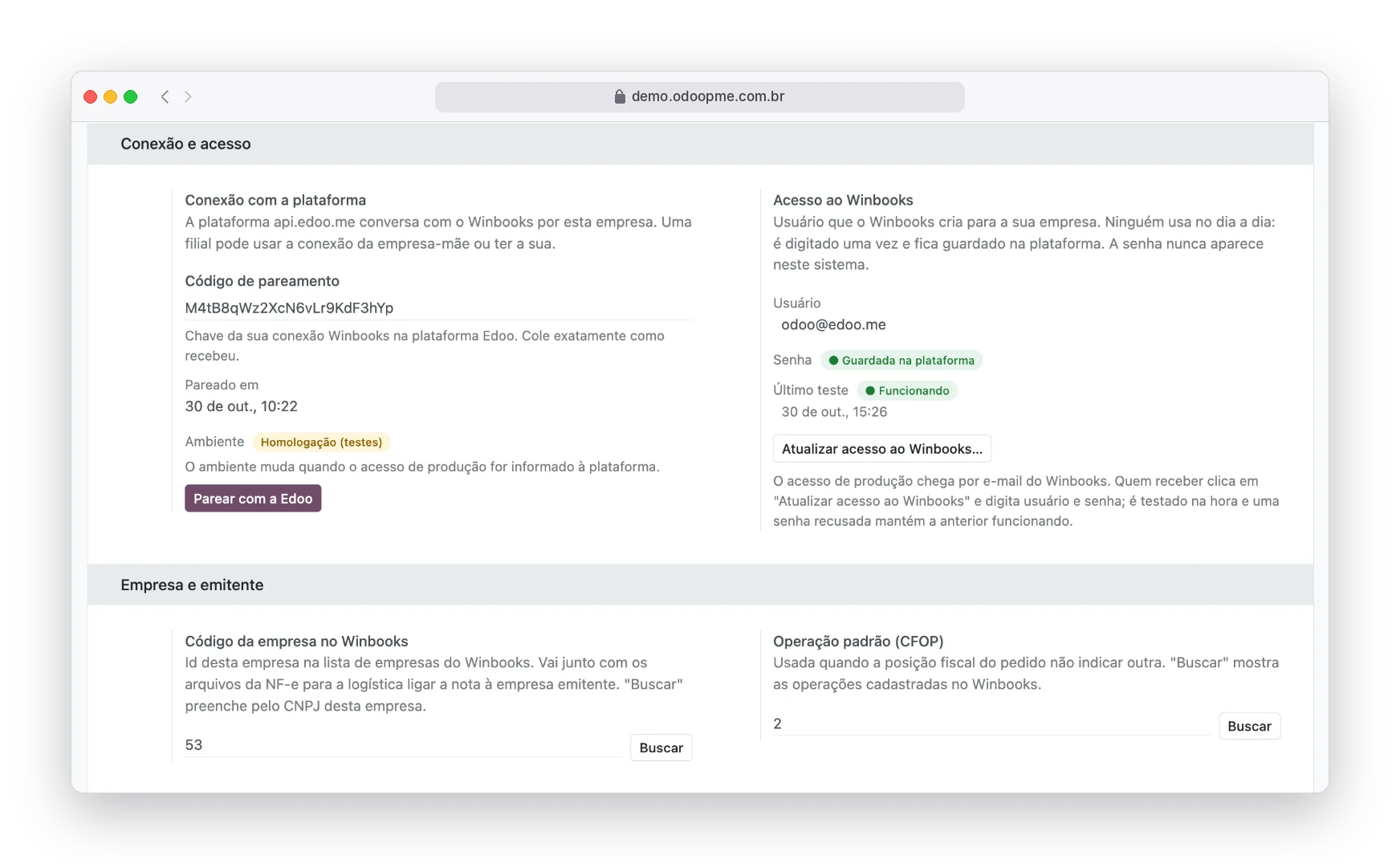
The connection is made once. The WinBooks user is kept on the platform and the password never appears in your system.
Connection, access and issuing company
Paste the pairing code, enter the production access when WinBooks sends it and fetch the company code and tax operation straight from WinBooks.
- Password tested on the spot
- A branch can use the head office connection
- Homologation and production kept apart
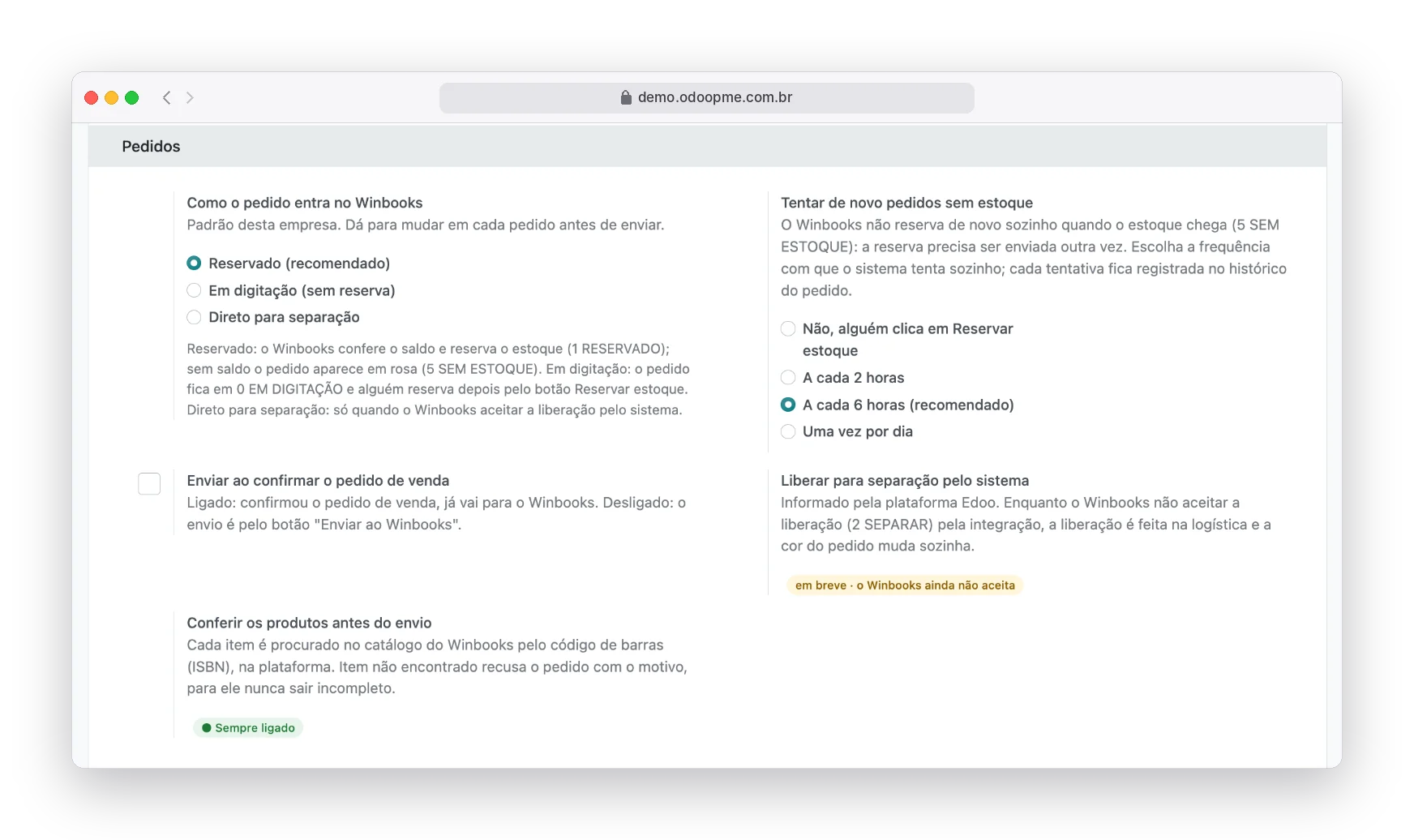
How each order enters WinBooks
Reserved (recommended), in entry or straight to picking. With "Send on confirm", confirming the sale already sends the order. Out of stock, the system tries to reserve again at the interval you choose.
- Unknown item refuses the order with the reason
- Buyer registered in WinBooks before the order
- Every step in the order history
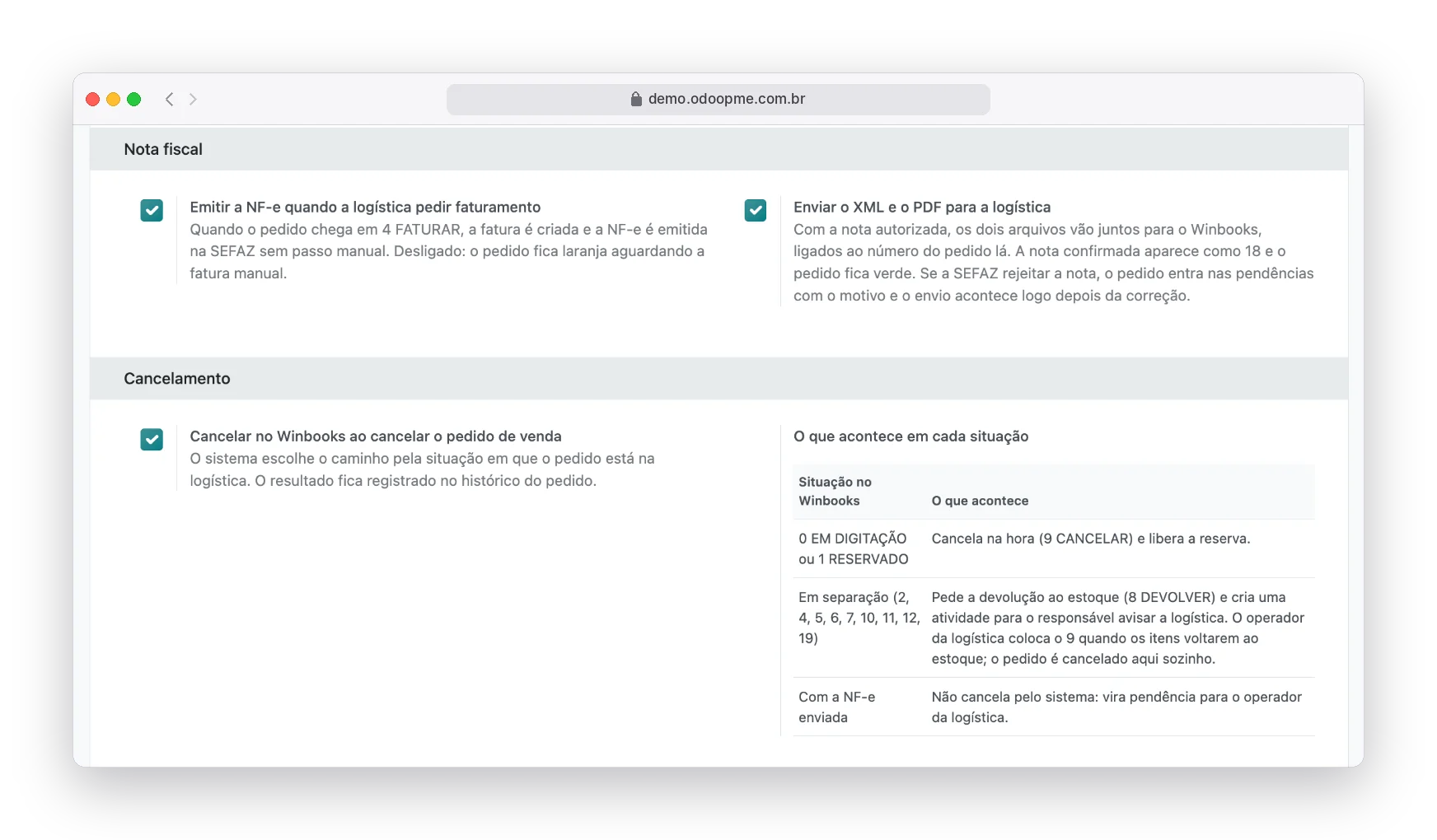
Invoice and cancellation without rework
When logistics asks for billing, the invoice is created and issued. Once authorized, the XML and PDF go to WinBooks. Cancelling the sale is also resolved at the warehouse, the right way.
- Tax authority rejection becomes an explained issue
- In picking: return to stock
- With invoice sent: handled with logistics
A color for each stage
In entry, reserved, out of stock, released, picking, finished, cancelled. The color shows on the order and in the sales list, so you see at once what is stuck.
- Status table coming from WinBooks
- Winbooks tab with number and reservation
- Issues for the person in charge
The warehouse in step with sales
Zero retyping
The order leaves Odoo and reaches the warehouse unchanged.
Status without a call
The order color changes on its own at each WinBooks stage.
Invoice at the right time
The invoice is issued when logistics asks for billing, not before, not after.
Files at the warehouse
XML and PDF go together, linked to the order number in WinBooks.
Safe cancellation
The path changes with the stage, and nothing is cancelled blindly.
Protected password
WinBooks access stays encrypted on the platform, never in your system.
The same operation, a different day to day
Without the integration
- Order retyped at logistics
- "Has it been picked?"
- XML attached by hand
- Cancellation that leaves the warehouse
With the Edoo integration
- Zero retyping
- Status without a call
- Invoice at the right time
- Files at the warehouse
Clear up your questions
Complete step by step, with the screens
The official documentation shows every setting, field and status of the integration, for your team to check whenever they want.
Open the official documentationDo I need to type the WinBooks password in my system?
Only once, in the update access button. It goes straight to the platform, is tested on the spot and is never stored in your system.
What if stock runs out?
The order turns pink and the system tries to reserve again at the interval you choose: every 2 hours, 6 hours or once a day.
Does the branch need its own connection?
Not necessarily. The branch can use the parent company’s connection and access and have its own company code in WinBooks.
What happens if the tax authority rejects the invoice?
The order goes into the issues list with the reason. Once the invoice is fixed and authorized, the XML and PDF go to WinBooks.
Connect as well


Shall we connect your Odoo to the warehouse?
Tell us how your operation works today. An Edoo specialist shows the integration running and what changes in your routine.
Shopify, Amazon, Amazon Vendor Central, WinBooks, WBS Tecnologia and BookInfo are trademarks of their respective owners, used here only to identify the integrations.